City View Procreate Set: 123 Stamps for Digital Art
Bringing Architectural Depth to Your iPad
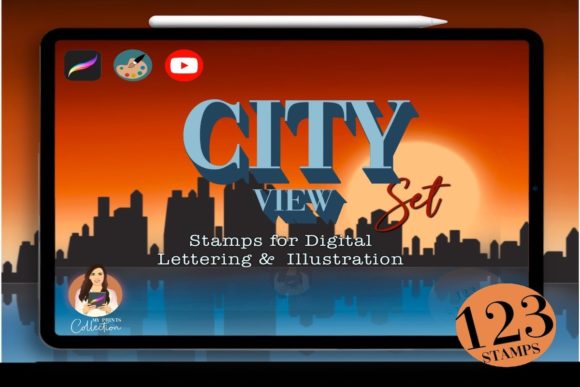
There is a specific challenge that digital artists face when trying to capture the energy of a metropolis: drawing repetitive building details is tedious, yet skipping them makes the work look flat. The City View Procreate Set solves this by offering a comprehensive toolkit designed to bypass the labor of drawing individual windows, doors, and skylines from scratch. This is not just a collection of random brushes; it is a curated architecture kit containing 123 distinct Procreate stamps. The visual character of this set leans heavily into structural precision mixed with artistic flair. You will find everything from intricate Art Deco detailing to sleek, modern skyscrapers, allowing you to construct cityscapes that feel alive and bustling without losing the hand-drawn charm that makes digital art appealing.
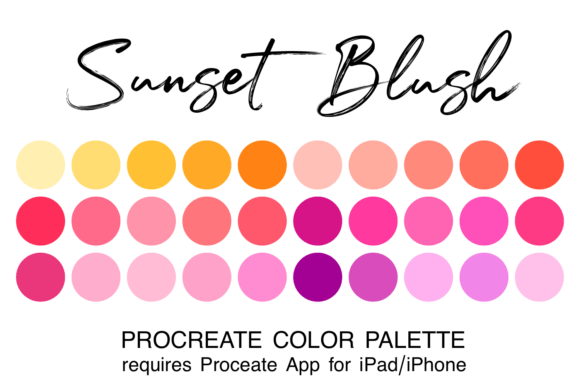
The personality of this asset pack is versatile. Whether you are aiming for a gritty, noir-inspired alleyway or a bright, pop-art city center, the brush shapes adapt to your intent. The stamps function as high-quality design assets that you can layer, resize, and recolor. Because they are stamps, they provide consistency in your line work—a crucial factor when building complex scenes. For a creator working on a tight deadline, this consistency is a lifesaver. Instead of worrying about whether your perspective lines are matching up between different buildings, you can focus on composition and color theory. The set includes a dedicated color palette (.swatches file), ensuring that your tonal values remain harmonious throughout the illustration.
Practical Applications for Designers and Creators
Understanding where to deploy the City View Procreate Set is key to maximizing its value. This tool excels in scenarios where the setting is as important as the subject. For example, if you are a children’s book illustrator, these stamps allow you to create rich, detailed backgrounds that transport the reader to a bustling town square in minutes rather than hours. The visual hierarchy in your compositions will naturally improve because the stamps offer solid, grounding shapes that anchor your focal points.
Consider the needs of a small business owner or a marketing professional. Creating social media graphics often requires a sense of "place" to tell a story. If you are promoting a travel blog, a real estate venture, or a local city event, the City View Procreate Set allows you to generate custom imagery that feels authentic. You can use these stamps to create unique headers for newsletters or engaging visuals for Instagram stories. The style is particularly effective for packaging design that wants to evoke an urban lifestyle—think coffee roasters, boutique clothing brands, or artisan bakeries located in the city center. By using these stamps, you create a visual shorthand that your audience will instantly recognize, strengthening your brand identity through consistent, thematic imagery.
Integrating Architecture into Brand Strategy
For those involved in editorial design or publishing, the ability to control the environment is vital. The City View Procreate Set offers a way to create spot illustrations or full-bleed backgrounds that enhance the narrative. When you are designing a magazine layout or a book cover, the "weight" of the typography needs to balance with the artwork. These architectural stamps provide heavy, structural visual elements that can balance bold serif or sans serif fonts effectively.
Furthermore, this kit serves as an excellent bridge between amateur hobbyists and professional output. The included workbook, which comes as a PDF with three video tutorials, is a significant value-add. It moves beyond just providing the tool and teaches you how to use it. This is where the "Experience" aspect of E-E-A-T (Experience, Expertise, Authoritativeness, and Trustworthiness) comes into play. You aren't just buying a brush file; you are gaining access to a workflow. The tutorials demonstrate how to stack stamps to create depth, how to use the eraser tool to integrate elements, and how to apply lighting effects that make the cityscapes look three-dimensional.
Technical Workflow and Best Practices
To get the most out of the City View Procreate Set, it is important to understand the technical environment it operates in. This is a native Procreate tool, specifically designed for the iPad app (version 5 or higher). It is crucial to note that these files are not compatible with desktop software like Photoshop or Illustrator. This specificity is actually a strength; because the brushes are tailored for Procreate’s engine, they respond perfectly to Apple Pencil pressure and tilt dynamics, offering a tactile experience that generic cross-platform brushes often lack.
When evaluating how this set fits into your workflow, consider the concept of visual rhythm. Cities are rhythmic structures—rows of windows, repeating rooflines, and grid patterns. Using the City View Procreate Set helps maintain this rhythm naturally. When you stamp a row of skyscrapers, the repetition feels organic rather than mechanical. This is particularly useful for web design mockups where you might need a background illustration that doesn't distract from the UI but still sets a modern, professional tone.
Pairing and Composition Tips
A common question with specialized tools like this is how to handle font pairing if the image includes text. While this is a stamp set rather than a typeface, the architectural nature of the art influences your typography choices. The lines are often geometric and structured. Therefore, pairing your city illustrations with a clean, modern sans serif font often works best for readability, allowing the intricate details of the stamps to shine without visual competition. However, if you are going for a vintage travel poster aesthetic, mixing these stamps with a bold display font or a retro serif font can create a striking contrast.
When testing the fit of this asset for your project, start by experimenting with the opacity and layering modes in Procreate. Because the stamps are solid black by default, they are perfect for creating silhouettes or line art. You can use the "Alpha Lock" feature to recolor them, matching them to the specific color palette included in the download. This ensures that your city elements feel integrated into the overall design rather than pasted on top. The versatility of the City View Procreate Set makes it a robust addition to any digital toolkit, providing the structural foundation needed to build worlds, tell stories, and elevate professional design projects.