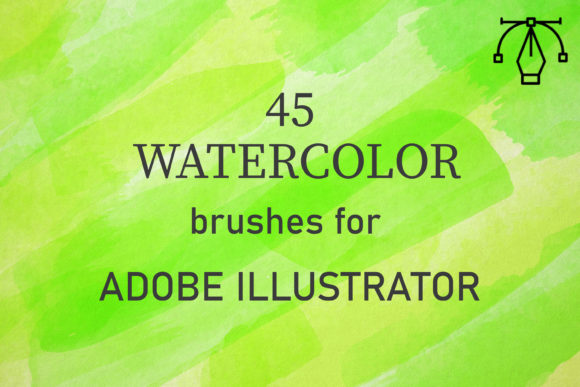
45 Watercolor Brushes for Illustrator: A Designer's Toolkit
There’s a distinct charm to watercolor that digital tools often struggle to capture. The unpredictable bleed, the granulation of pigment, the way layers build to create depth—it’s a medium with a soul. For years, achieving that authentic, hand-painted look in a vector program like Adobe Illustrator felt like a compromise. You’d end up with something that looked flat, overly perfect, or just… digital. That’s where a well-crafted set of brushes changes the game. The 45 Watercolor Brushes for Illustrator pack is one of those resources that feels less like a software add-on and more like a direct conduit to real artistry. It’s a collection designed to bridge the gap between the organic feel of traditional media and the scalable precision of vector graphics.
Capturing the Authenticity of Real Paint
What sets this collection apart is its foundation in reality. Each of the 45 unique vector watercolor brushes was created from scans of actual watercolor strokes and washes. This isn't just a texture slapped onto a path; it’s a nuanced replication of how watercolor pigment behaves on paper. You’ll find the subtle feathering at the edges of a stroke, the slight pooling of color in recesses, and the beautiful, granular texture that gives watercolor its characteristic warmth. The personality here is unmistakably artistic, organic, and slightly imperfect in the best possible way. It’s a style that conveys authenticity, creativity, and a human touch—qualities that are invaluable in a world saturated with sterile, generated content.
The practical application is where these brushes truly shine for design assets and brand identity work. Imagine crafting a logo for an artisanal bakery or a wellness brand. A single, confident stroke from this set can form the backbone of the logo, instantly communicating handcrafted quality and care. For editorial design, these brushes are perfect for creating custom chapter headings, dividers, or background washes in a book or magazine, adding a layer of artistic depth that standard fonts can’t achieve. In packaging design, they can be used to create unique labels, patterns, or accent marks that make a product stand out on the shelf with a tactile, premium feel.
Integrating Watercolor Texture into Modern Design Projects
The versatility of the 45 Watercolor Brushes for Illustrator extends far beyond traditional print. In the realm of web design and digital content, they offer a powerful way to break the monotony of flat design. Use them to create subtle, textured backgrounds for a website hero section, design custom social media graphics that pop with personality, or craft unique icons and illustrations for a blog. The key is in the application. The brushes are designed to be used with Illustrator’s blend modes. Setting a brush stroke to multiply or darken allows the underlying colors and textures to interact, creating that layered, translucent effect that is the hallmark of real watercolor.
This method of building up tone through overlapping strokes is both intuitive and powerful. You start with a light wash, perhaps using one of the broader, more diffuse brushes in the set. Then, with a smaller, more defined brush, you add layers of color where you want more depth or shadow. By adjusting the opacity and color for each stroke, you can achieve a remarkable range of effects, from a delicate, airy background to a rich, saturated focal point. This process mirrors the actual technique of a watercolor artist, making it a genuinely creative and enjoyable experience. It’s a far cry from simply applying a static filter.
Practical Guidance for Your Creative Workflow
When considering a resource like this for your toolkit, it’s helpful to think about integration. First, ensure you’re using Adobe Illustrator CC or above, as the brushes are optimized for this environment. The pack is delivered as a single, organized .ai file containing all 45 brushes, making installation straightforward—simply open the file, and the brushes will be available in your Brushes panel.
Evaluating fit is next. Ask yourself: does this project call for an organic, handmade aesthetic? This pack is a creative font companion, not a replacement for your primary typeface. It works best alongside clean, simple sans serif fonts or elegant serif fonts. For example, pairing a bold watercolor brushstroke header with a legible body text in a font like Montserrat or Lora creates a beautiful font pairing that balances artistry with readability. The watercolor elements become the expressive, emotional accent, while the typeface ensures the message is communicated clearly.
Consider the project’s scale and medium. Because these are vector brushes, your creations are infinitely scalable. A watercolor background designed for a social media post can be scaled up for a banner without losing quality. This makes the asset incredibly valuable for maintaining brand consistency across digital and print applications. For a small business owner creating their own marketing materials, this means one set of custom watercolor assets can unify their website, their Instagram posts, their business cards, and their product packaging.
Finally, remember that the most compelling results come from experimentation. Don’t just use one brush stroke in isolation. Layer them, change colors, play with opacity, and combine different brush styles from the set. The 45 options provide a fantastic range—from fine, detailed lines for accents to broad, textured washes for backgrounds. By exploring these combinations, you move beyond using a pre-made asset and start truly creating with a versatile, high-quality design tool. The goal isn’t to replicate a watercolor painting pixel-perfectly, but to harness its essence to inject life, warmth, and professionalism into your digital and print work.